
MacBook Cleaning บริการ
ทำความสะอาดระบบระบายความร้อนและกำจัดฝุ่น ป้องกันความร้อนสูงและยืดอายุ Mac แนะนำทุกปี
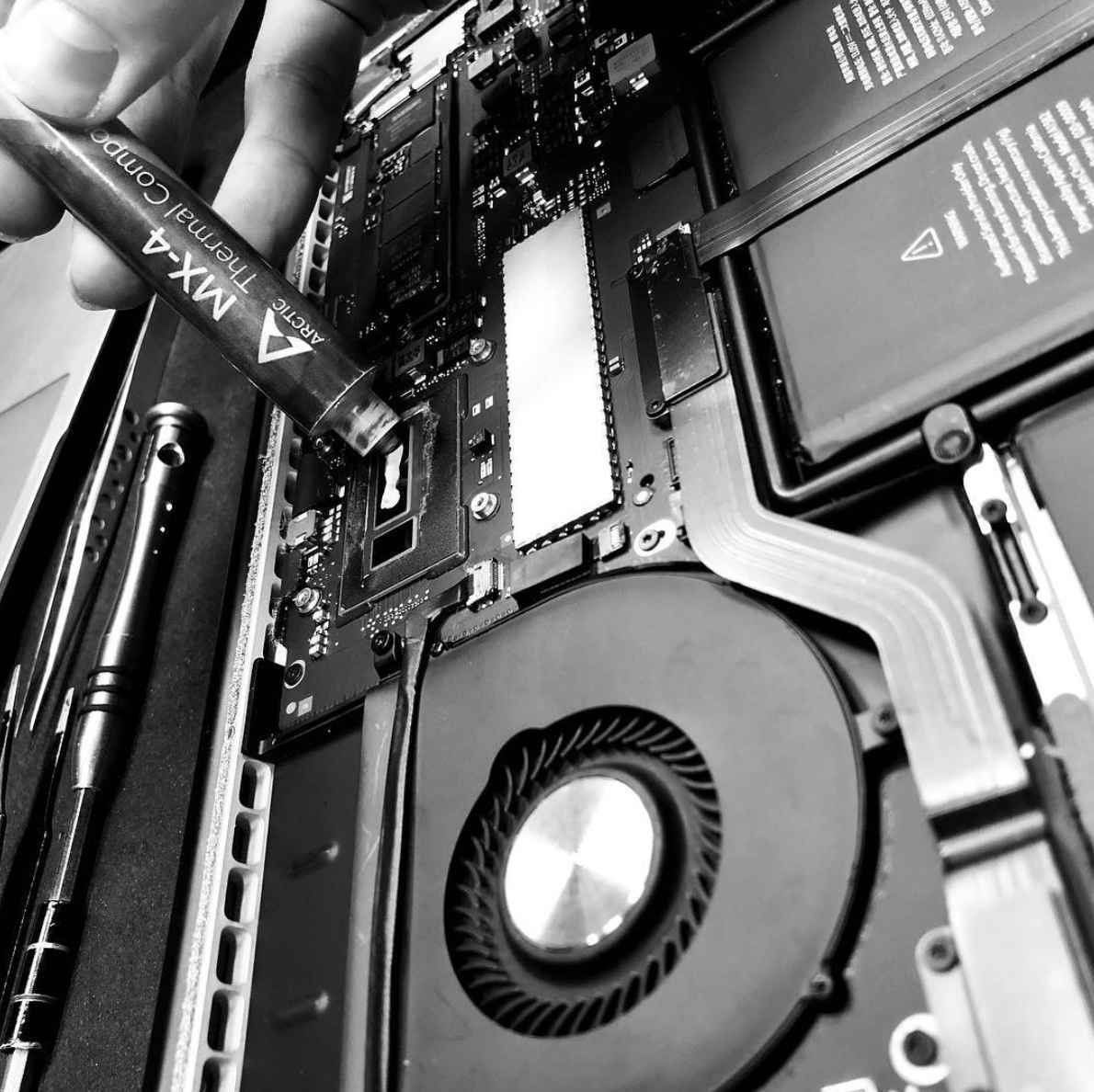
Prevent Overheating. Extend Lifespan.
Dust buildup is the #1 cause of MacBook overheating. Bangkok's dusty environment makes it worse. Our thorough cleaning service removes dust, replaces thermal paste, and restores proper cooling — making your Mac run cooler, quieter, and faster.
Deep Dust Removal
Fans, heat sinks, vents, and internal components thoroughly cleaned of all dust and debris.
Thermal Paste Replacement
Old, dried thermal paste replaced with premium compound for better heat transfer.
Fan บริการ
Fan bearings lubricated and blades balanced. Fixes noisy fans and improves airflow.
Is Your Mac Overheating?
These symptoms indicate your Mac needs a professional cleaning.
Fan Always Running Loud
If your fan is constantly at maximum speed, even during light use, dust is blocking airflow and your Mac is struggling to stay cool.
Hot to Touch
The bottom case or keyboard area gets uncomfortably hot during normal use. This means heat isn't being dissipated properly.
Performance Throttling
Your Mac slows down during heavy tasks. macOS intentionally reduces CPU speed to prevent damage from excess heat.
Random Shutdowns
Your Mac turns off unexpectedly during use. This is a safety feature triggered when internal temperature exceeds safe limits.
Battery Draining Fast
Overheating causes the battery to work harder and degrades its chemistry faster, leading to significantly reduced battery life.
It's Been 1+ Years
Even without symptoms, we recommend annual cleaning for MacBooks in Bangkok's climate. Prevention is cheaper than repair.
What's Included
Standard Cleaning 1,000 THB
- Full internal dust removal
- Fan cleaning and inspection
- Heat sink cleaning
- Vent and port cleaning
- 1-2 hours
Deep Cleaning 2,500 THB
- Everything in Standard +
- Thermal paste replacement
- Software tuning and overall hardware inspection
- Full cooling system service
- Performance stress test
- 1 day
Cleaning บริการ Questions
In Bangkok's dusty and humid climate, we recommend a professional cleaning every 12 months. If you use your Mac in dusty environments (construction sites, outdoor cafes), every 6 months is better. If you notice overheating symptoms, don't wait — book a cleaning immediately.
You can clean the exterior and blow compressed air through the vents, but this only removes surface dust. The real problem is dust packed deep in the heat sinks and fan assembly, which requires opening the Mac. Modern MacBooks are difficult to open without specialized tools and risk of damage.
If your Mac is still under Apple's warranty, any third-party service will void it. However, if your Mac is out of warranty (most are, since Apple's warranty is only 1 year), professional cleaning is safe and beneficial. Our technicians use proper tools and techniques to avoid any damage.
Most customers see a 10-20°C reduction in operating temperature after a deep cleaning with thermal paste replacement. The fan noise is significantly reduced, and performance improves because the CPU no longer needs to throttle down due to heat.
Book Your MacBook Cleaning
Recommended annually. บริการภายในวัน. From 1,500 THB.